Self-hosted · AGPL-3.0 · one engine, 8 front doors
Turn URLs, files and text into media, knowledge and documents.
Give Content a source and say what you want back. It works out what that source can become, plans and runs the job, and delivers named files into your library — from a browser, a terminal, your AI agent or plain HTTP.
Rather not install anything? Try the hosted instance early access
- Latest release
- v0.8.3
- Clients, one contract
- 8
- Sites via yt-dlp
- 1700+
- Stars on HomeTube, its best-known client
- 1.4k
Demo
One source, many artifacts
Describe the results. The engine resolves the rest.
No yt-dlp flags, ffmpeg pipelines, transcription glue or LLM orchestration in the client. Each request says what you want; Content works out what is possible for that source and records where every file came from.
                       ┌─ My Conference.mp4
                       ├─ My Conference - audio.opus
YouTube URL ──→ Content ──┼─ My Conference - subtitles - en.srt
                       ├─ My Conference - transcript.txt
                       ├─ My Conference - summary.md
                       └─ My Conference - summary.pdf

Web page / .md ──→ Content ──┬─ Article.txt
                       ├─ Article - summary.md
                       ├─ Article - translation.md
                       └─ Article.pdf
-
Video
Stream selection, remux, fast or frame-accurate cutting, SponsorBlock handling.
-
Audio
Source audio, Opus, MP3 or M4A from media URLs; local files keep their native track.
-
Subtitles
Manual or automatic tracks, selected by language.
-
Transcript
From existing subtitles, or from audio with the optional Whisper runner.
-
Summary
Transcript or readable text through a local Ollama model or an opt-in cloud key.
-
Translation
Subtitles or transcripts through an LLM; subtitle timings stay aligned.
-
Chapters
Declared by the source, or derived from a transcript.
-
Thumbnails
Published artwork or keyframes extracted from the video.
-
Markdown & PDF
Readable web pages, text files, PDFs' text layer, and PDF output for summaries and transcripts.
Media acquisition works with YouTube and the 1700+ sites supported by yt-dlp. Summaries, translations and derived chapters need a local Ollama or an opt-in cloud key; unavailable runners are reported up front, never discovered halfway through a job.
The clients
One engine, one contract, 8 front doors
Every client speaks the same request, sees the same resolved capabilities and produces the same artifacts. They differ in ergonomics, not in what they can ask for. Pick one or several.
-
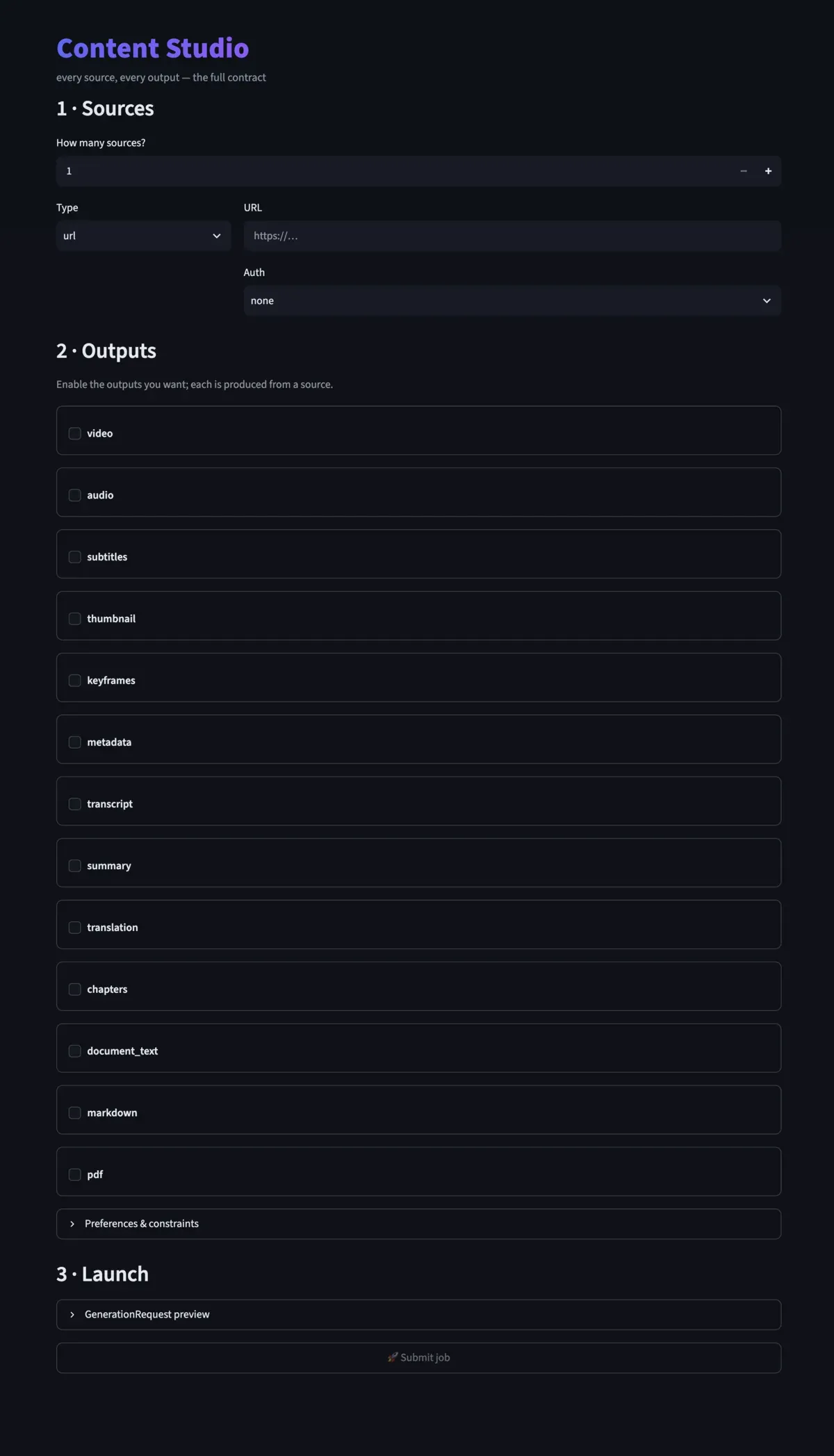
Content Studio
The whole contract in a form: URLs, uploads, server files and inline text.
In Docker Compose at :8502
Read more -
HomeTube
The simplest YouTube video or playlist → library experience.
In Docker Compose at :8501
Read more -
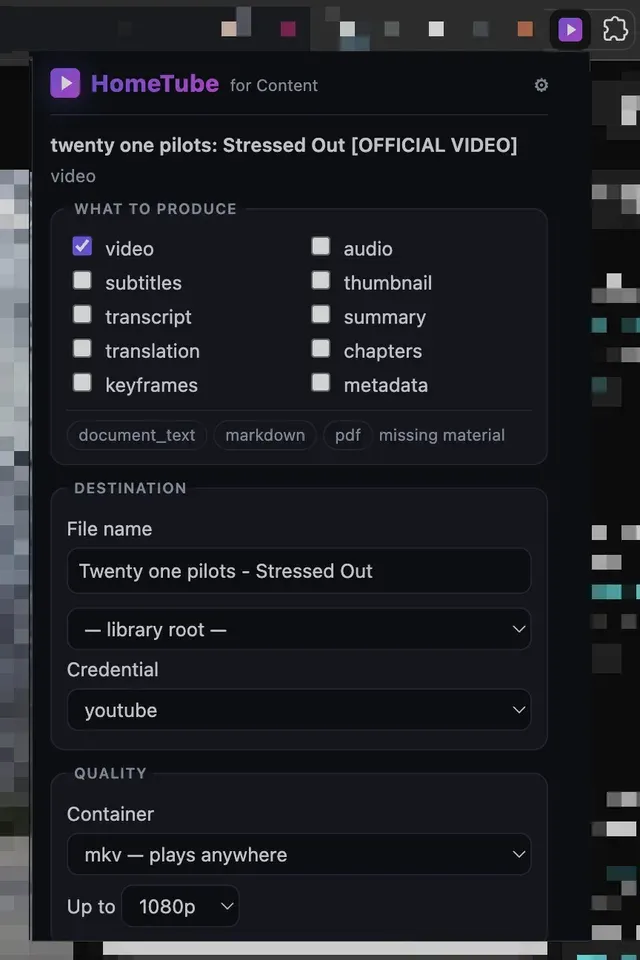
Browser extension
Send the Chrome, Brave, Edge or Vivaldi tab you are on to your engine.
Load unpacked from the release zip
Read more -
MCP server
Give Claude, an IDE or any MCP agent real artifacts instead of talk.
uvx content-mcp
Read more -
CLI
Terminals, scripts and cron, with an exit code that carries the outcome.
uv tool install content-cli
Read more -
Python SDK
Typed sync and async client; the one every other client is built on.
pip install content-sdk
Read more -
REST API
Any language that speaks HTTP. Stable error codes, honest capabilities.
/api/v1, Swagger at :8010/docs
Read more -
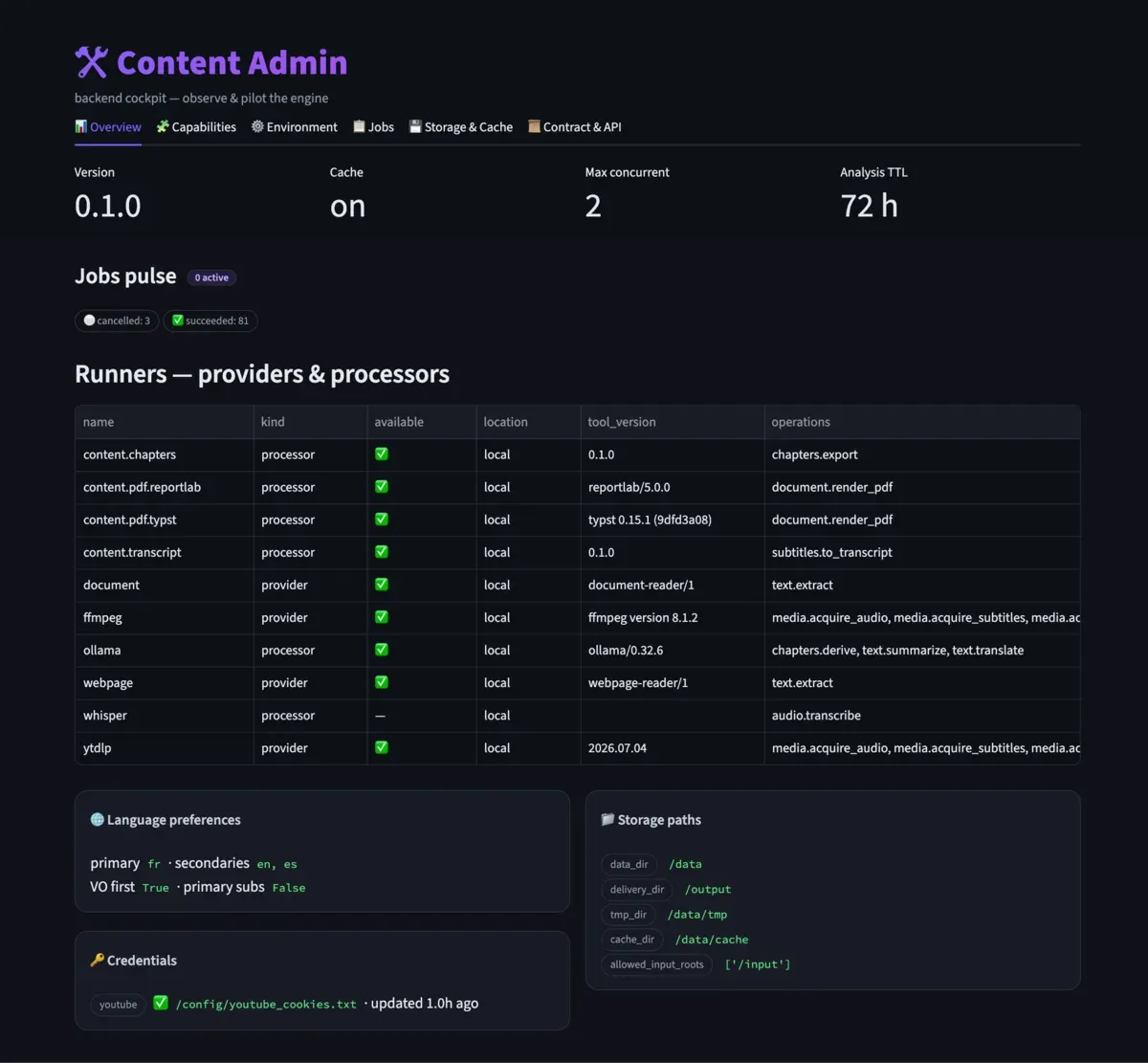
Content Console
Observe and pilot the engine: jobs, runners, storage, configuration.
In Docker Compose at :8503
Read more
Screenshots
Quick start
Docker Compose is the only prerequisite
Published images for amd64 and arm64. Nothing to clone or build.
mkdir content && cd content
curl -fsSLO https://raw.githubusercontent.com/LatentNoise/content/main/deploy/docker-compose.yml
curl -fsSL -o .env https://raw.githubusercontent.com/LatentNoise/content/main/.env.example
docker compose up -d
Studio at :8502, HomeTube at :8501,
Console at :8503, the API and its Swagger at :8010/docs.
Full install guide
For agents, terminals and code
Real artifacts, not just talk
Ask Claude to save a lecture's audio into Talks, produce a transcript and a structured summary, and report where every file landed. The agent never needs shell access or yt-dlp syntax.
MCP server
# Claude Code
claude mcp add content \
  --env CONTENT_API_URL=http://localhost:8010 \
  -- uvx content-mcp
CLI
uv tool install content-cli
export CONTENT_API_URL=http://nas.local:8010

content analyze "https://www.youtube.com/watch?v=…"
content video "https://…" --height 1080 --subs en,fr --watch
content audio "https://…" --format opus --playlist --watch
Python SDK
from content_sdk import ContentClient, outputs

with ContentClient("http://localhost:8010") as client:
    analysis = client.analyze(outputs.url_source("https://www.youtube.com/watch?v=…"))
    job = client.generate(analysis.id, [outputs.audio_output(), outputs.summary_output()])
    job.wait()
    for artifact in job.artifacts:
        print(artifact.display_filename, artifact.delivered_path)
Why build on Content
Principles that hold
-
Declare intent, not tooling
Requests describe outputs. yt-dlp, ffmpeg, Whisper, LLMs and PDF renderers stay replaceable implementation details.
-
Self-hosted, local-first
Workstation, NAS or homelab. No account, no telemetry, no mandatory cloud service.
-
One public contract
Every client converges on the same engine instead of drifting into parallel feature sets.
-
Human files, not pipeline debris
Every artifact gets a readable name and can land directly in the library you already use.
-
Observable work
Jobs expose states, ordered events, progress, logs, provenance, cancellation and retry.
-
Honest capabilities
'Valid but unsupported', 'unavailable on this source' and 'broken' are different answers, given up front.
Where it comes from
HomeTube is the client people already run. Content is the engine it grew into.
Standalone HomeTube — the ad-free video and playlist downloader for Plex, Jellyfin and Emby — has passed 350,000+ package downloads and keeps being maintained. Inside Content, HomeTube is one client among eight: the same paste-a-URL workflow, on an engine that can also produce transcripts, summaries and documents from the same source.
Free, open source, yours to run.
AGPL-3.0. Bug reports, ideas and design feedback are welcome through issues.